Year: 2025

CTI feed

Top Free Threat Intelligence Feeds for SOC

In today’s cyber-threat environment, a SOC (Security Operations Center) cannot rely solely on internal logs or ad-hoc detection rules. Attackers continuously evolve, use new malware, phishing campaigns, command-and-control (C2) infrastructures, and exploit zero-day vulnerabilities. To keep pace, security teams need access to fresh, actionable intelligence about malicious IPs, domains, URLs, file hashes, and campaign data. This is where Threat Intelligence Feeds come into play. By feeding a stream of indicators of compromise (IOCs) and threat metadata into detection tools (e.g. SIEM, IDS/IPS, EDR), SOCs gain proactive visibility enabling rapid detection, triage, and response long before threats fully materialize.

Below I describe several prominent public community-based feeds what they offer, their strengths, and how a SOC might benefit from them. 

AlienVault OTX (Open Threat Exchange)

  • AlienVault OTX is a crowd-sourced threat-sharing platform. Through OTX, thousands of threat researchers and security professionals worldwide share IOCs and threat reports.
  • OTX publishes “Pulses” structured reports containing one or more IOCs (IPs, domains, URLs, file hashes, etc.), metadata about the threat (e.g. targeted software, malicious behavior, CVE references), and contextual information (who reported it, reliability indicators, descriptions).
  • For SOCs and security teams, OTX offers free access (registration required). Data can be consumed via API, STIX/TAXII exports or integrated into third-party security tools.
  • The collaborative nature of OTX helps democratize threat intelligence: even smaller organizations or teams with limited budgets can benefit from threat data comparable to that used by larger enterprises.

Use-Case for SOC: Integrate OTX pulses into your SIEM to enrich alerts automatically. Use IOCs from OTX to flag suspicious traffic or files, and subscribe to pulses relevant to your industry or region for early warning.

Linkhttps://otx.alienvault.com


abuse.ch

  • abuse.ch is a long-standing, community-driven threat intelligence provider dedicated to tracking malware, botnets, and malicious infrastructure.
  • Their offering includes multiple specialized feeds (platforms): among them URLhaus (malicious URLs used for malware distribution), MalwareBazaar (sharing confirmed malware samples), ThreatFox (IOCs related to malware campaigns), YARAify (repository of YARA rules), C2/botnet trackers, and others.
  • The feeds are designed to be machine-readable and easily consumed by SIEMs, TIPs (Threat Intelligence Platforms), or SOC pipelines, facilitating automation of alert enrichment, threat detection, and triage workflows.
  • Because abuse.ch is community-driven and shares many kinds of artefacts (URLs, hashes, SSL certificates, etc.), it provides high value especially for malware detection, IOC enrichment, and threat hunting.

Use-Case for SOC: Ingest URLhaus and ThreatFox feeds into your detection stack to flag malicious URLs or file hashes. Use MalwareBazaar to compare suspicious files against known malware. Use YARAify’s YARA rules to scan endpoints or network traffic for known malware patterns.

Link: https://abuse.ch


SOCRadar Free Edition

  • SOCRadar is a commercial and platform-oriented threat intelligence service. It offers modules for external attack surface monitoring, dark-web monitoring, brand protection, and importantly IOC enrichment & SOAR integration, which suits SOC workflows.
  • Their “IOC Radar” feature aggregates signals across multiple public feeds (including abuse.ch, OTX, URLhaus etc.) to give an aggregated risk assessment per IP and domain and observable helpful to prioritize which alerts deserve immediate attention.
  • This approach helps reduce the noise and signal-to-noise ratio when dealing with many overlapping public feeds a common challenge for SOCs.

Use-Case for SOC: Use SOCRadar to centralize and correlate IOCs from multiple sources, triage and score threats, and feed high-confidence events into your SOAR or incident response pipelines for efficient handling.

Link: https://socradar.io


 CIRCL (Computer Incident Response Center Luxembourg)

  • CIRCL is a CERT and CSIRT organization which among other services provides threat intelligence and OSINT-based feeds.
  • Their focus includes the operation of a MISP-based sharing platform and providing historical DNS-record data, dynamic malware analysis, and community-based sharing of threat intelligence.
  • For SOCs, feeds from CIRCL and TLP can serve as a source of vetted, quality intelligence especially useful for Europe-centric threat context, or for industries where CIRCL has visibility.

Use-Case for SOC: Integrate CIRCL’s MISP feeds or DNS-history feeds to enrich internal alerts, trace domain history, or conduct retrospective investigations when dealing with targeted attacks or persistent threats

Link: https://www.circl.lu


OpenPhish

  • OpenPhish is a specialized service focusing on automated phishing intelligence for detection and listing of active phishing URLs and domains.
  • For SOCs, phishing remains one of the most persistent initial vectors for compromise. Having access to an up-to-date feed of phishing URLs and domains helps detect and block phishing attempts before they reach users, or flag suspicious inbound traffic for further inspection.

Use-Case for SOC: Use OpenPhish feed in your email gateway, proxy, or web gateway to block or monitor access to known phishing domains. Enrich email-security logs to detect possible phishing victims or attempted phishing campaigns.

Linkhttps://openphish.com


Spamhaus

  • Spamhaus is a long-established organization maintaining blocklists and threat intelligence data for spam, botnets, malware infrastructure, and more.
  • Importantly, the real-time feeds produced by abuse.ch are now offered via Spamhaus Technology’s infrastructure meaning better reliability, performance, and integration support for enterprises and SOCs.
  • Beyond abuse.ch data, Spamhaus provides other threat data (IP and domain reputation, passive DNS, etc.) that can add complementary context to SOC investigation and detection workflows.

Use-Case for SOC: Combine Spamhaus blocklists (IP, domain, DNS) with other feeds to improve detection and prevent spam, malware distribution, botnet communication. Use passive DNS data for infrastructure tracking and historical investigations.

Linkhttps://www.spamhaus.org


How SOCs Benefit from Threat Intelligence Feeds: Key Advantages & Best Practices

  • Faster Detection & Response: By integrating external IOCs into SIEM, EDR or IDS/IPS, SOCs can detect malicious activity e.g. communication with known bad IPs, domain resolution to suspicious domains, or file hashes immediately.
  • Enrichment & Context: Alerts enriched with threat metadata (e.g. threat actor, malware family, attack vectors) help analysts prioritize incidents, reduce false positives, and make informed decisions.
  • Proactive Threat Hunting: Feeds help SOCs identify emerging threats before they hit their network e.g. new malware variants, C2 servers, phishing campaigns giving time to patch, block or monitor.
  • Shared Community Intelligence: Community-driven platforms like OTX and abuse.ch democratize threat intelligence even organizations without large budgets can benefit from global collective defense.
  • Automation & Integration: Many feeds support standard formats (STIX, TAXII, JSON, CSV), making it easier to integrate into SOC toolchains, SIEMs, SOAR, TIPs.
  • Historical & Forensic Analysis: Feeds that include historical DNS data, past IOCs or archived samples help in retrospective investigations and understanding attacker infrastructure over time (especially relevant for persistent and advanced threats).

Best Practices:

  • Use multiple complementary feeds (e.g. OTX + abuse.ch + OpenPhish + blocklists) rather than relying on a single source  this reduces blind spots.
  • Carefully tune ingestion and alerting to avoid “noise overload”; not every IOC warrants immediate action  incorporate risk scoring and context-based prioritization.
  • Regularly review and update feeds, and validate IOCs (e.g. cross-check across multiple sources) to avoid false positives.
  • Combine external intelligence with internal telemetry (endpoint logs, network flows, email logs) for better detection accuracy.

Conclusion

Threat intelligence feeds are an essential pillar for any modern SOC. As attackers increasingly rely on automation, broad infrastructure, and rapidly changing techniques, relying solely on internal logs or legacy detection rules is no longer sufficient. By leveraging open and community-driven platforms like AlienVault OTX, abuse.ch, CIRCL, OpenPhish and Spamhaus, a SOC can gain a powerful advantage: timely, actionable, and context-rich intelligence about malware, phishing, C2 infrastructure, domain reputation, and more.

Integrating these feeds into your SOC’s SIEM, EDR, SOAR, or TIP drastically improves detection speed, reduces time-to-response, enables proactive threat hunting, and strengthens overall cyber-defense posture especially for organizations with limited resources.

WordPress Search and Scanner-min

Best WordPress website scanner for free

WordPress is a popular, user-friendly platform for building websites and blogs. Think of it as a tool that lets you create and manage a website without needing to know much (or any) coding.

WordPress websites are the most targeted websites, the best way to protect your website is to scan it regularly to detect any exploited vulnerability.

Below, we will share with you the best WordPress website scanner for freely available online.

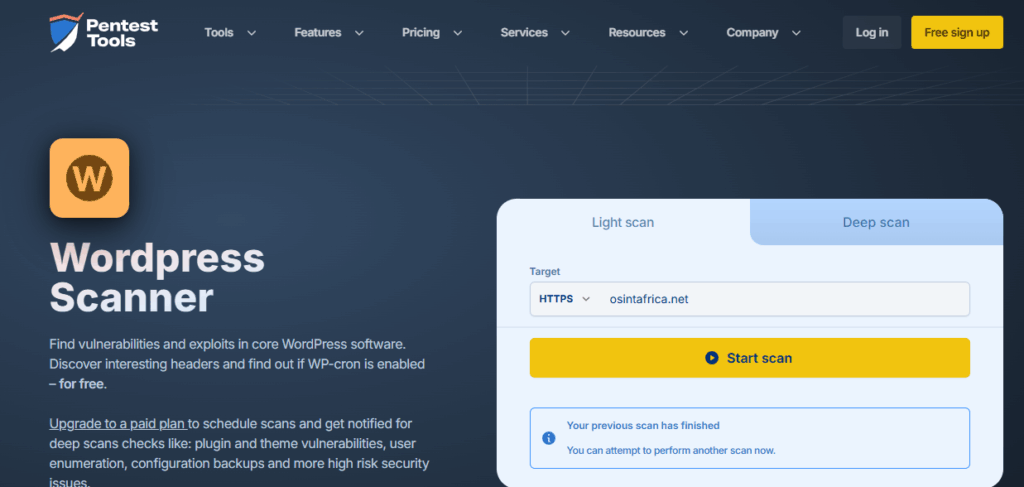
  1. Free WordPress Scanner Report (Light) - Pentest-Tools.com

Pentest-Tools.com is a legitimate and quite powerful platform for automated, semi-automated, and continuous pentesting. It's especially useful for security teams who want:

  • automated vulnerability assessments,
  • verified (exploitable) findings,
  • continuous scanning,
  • streamlined reporting.

The tool has a dedicated option to scan WordPress website and provide a report:

WordPress Vulnerability Scanner with WPScan - Pentest-Tools.com

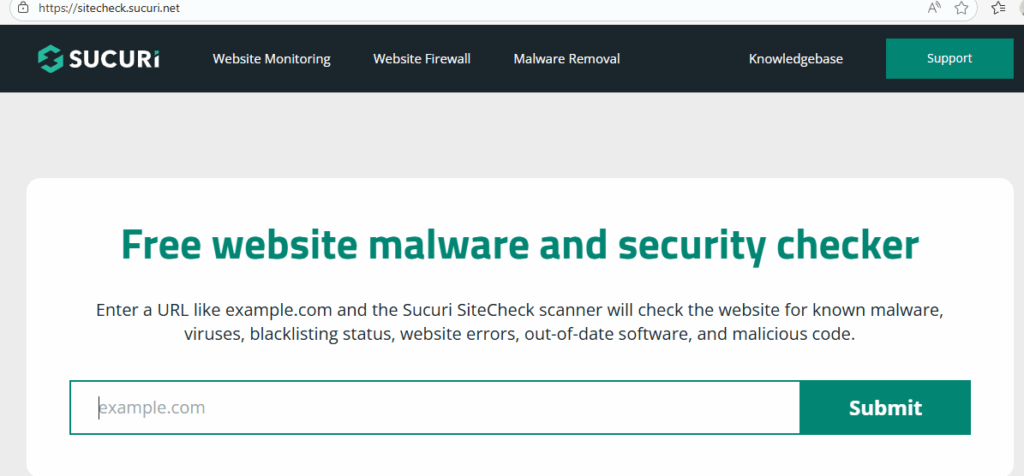
2. Website Security Checker | Malware Scan | Sucuri SiteCheck

Sucuri SiteCheck is a free remote website-security scanner provided by Sucuri Inc.

The tool can be used to detect if the site is running an outdated CMS (like WordPress, Joomla, Drupal, Magento) or vulnerable plugins/extensions.

By inputing a URL (for example “example.com”), and SiteCheck will scan the site’s publicly visible source code for signs of malware, viruses, malicious code like suspicious iframes/JavaScript/redirects.

The tool is a perfect match for those who want to check their WP website.

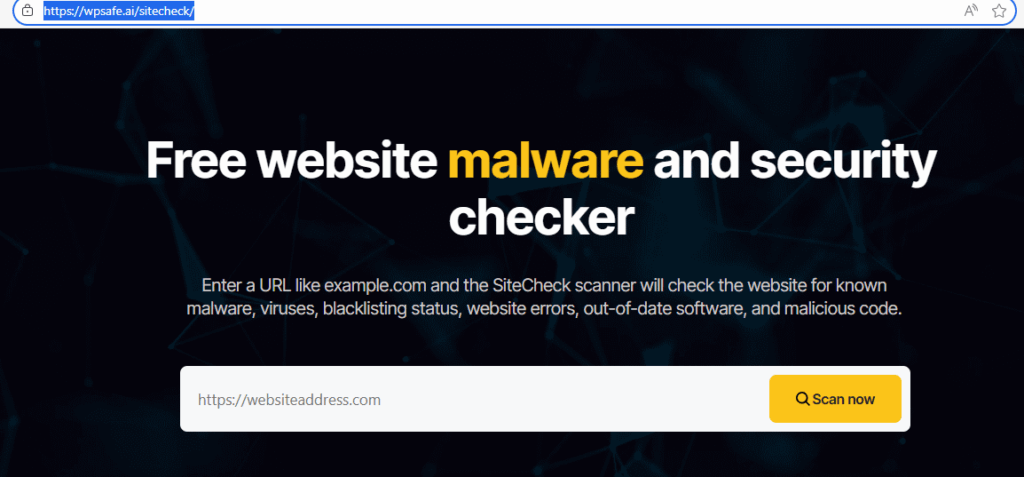
3. Site Check - WP Safe AI

wpsafe.ai/sitecheck is a service from WPSafe.ai that offers a free website security scan, especially geared toward WordPress sites.

The tool can help identify the following issues:

You enter a URL, and the SiteCheck tool scans the public-facing source code of the site for signs of malware, viruses, and other malicious code.

  • It checks for blacklisting by security authorities (e.g. Google, PhishTank).
  • It can identify out-of-date CMS software, plugins, or extensions.
  • It also reports on general security issues, configuration anomalies, and gives recommendations.

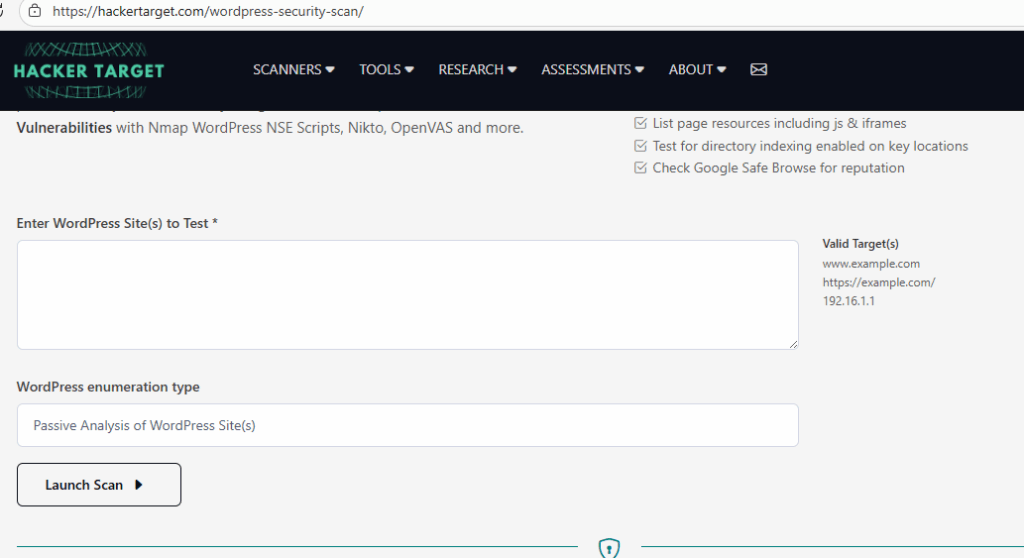
4. WordPress Security Scan | HackerTarget.com

The WordPress Security Scan on HackerTarget.com is a tool for externally checking WordPress sites for common vulnerabilities and misconfigurations.

Here’s a breakdown of what it is, how it works, and its pros & limitations:

Free Passive Scan

  • For free users, it runs a “low-impact” test: the scanner downloads a few publicly accessible pages from your site and analyzes the raw HTML.
  • It looks for: WordPress core version, detectable plugins/themes (from the HTML), potential directory indexing, JS or iframes, and whether Google Safe Browsing flags the site.
  • It tries to enumerate up to the first 2 WordPress users.
  • It also checks if “directory indexing” (i.e. file listing) is enabled on key locations.
  • It gives a “site reputation” check (e.g. via Google Safe Browsing).

More Aggressive / Advanced Scanning (Paid / Membership)

  • If you pay / have a membership, the tool can run Nmap NSE scripts tailored for WordPress to enumerate plugins, themes, and users more thoroughly.
  • It can use WPScan (a well-known WP vulnerability scanner) under the hood.
  • With membership you also get other vulnerability tools like OpenVAS and Nikto to scan the server / WordPress for deeper issues.
  • It can “fingerprint” plugin/theme versions and check them against a database of known vulnerable versions.
  • You can do user-enumeration (finding user names) more thoroughly (up to 50 users).

Purpose & Use Cases

  • Designed to give a high-level security posture of a WordPress site from the outside (i.e. what an attacker remote to your site might see).
  • Helps identify “attack surface”: by knowing which plugins/themes are present, which users exist, etc., you can better understand possible entry points.
  • Useful as a first step or reconnaissance tool before doing more in-depth testing or a full security audit.

Limitations / Things to Be Careful About

  • The free scan is passive, so it doesn’t try to brute-force anything or deeply probe — it’s limited.
  • Aggressive enumeration (when you use Nmap / WPScan via membership) can generate a lot of HTTP 404s and might show up in your access logs or trigger security measures on the server.
  • Because the scan is external, it cannot see server-side backdoors, malware in the database, or deeply embedded malicious code that doesn’t manifest in the public HTML.
  • It’s not a replacement for a full penetration test or manual security audit — it gives you an “outsider’s view,” not everything.

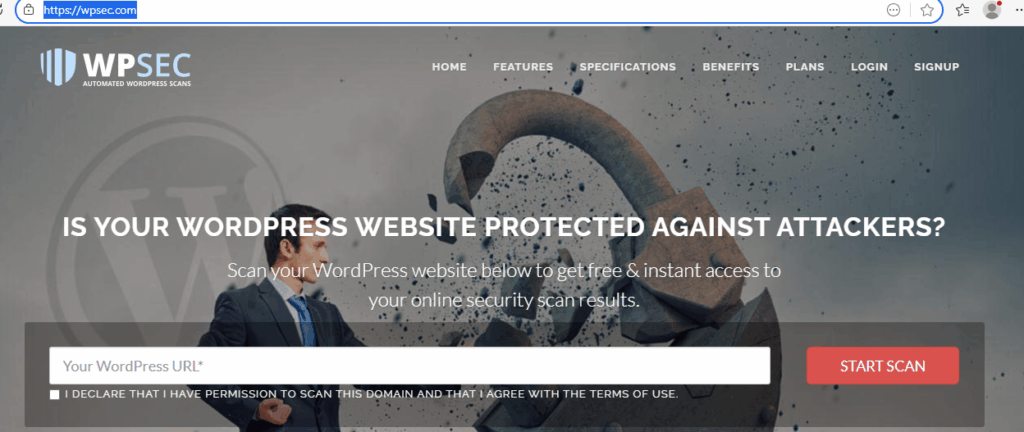
5. Online WordPress Security Scan for Vulnerabilities | WP Sec

WPSEC.com (sometimes written WPSec) is a web service that provides WordPress vulnerability scanning. Here’s a breakdown of what it is, how it works, and what its pros/limitations are:

WordPress Security Scanner

  • WPSEC.com lets you scan a WordPress site (even without having WP-admin access) to check for known vulnerabilities.
  • It uses a “deep scan” technology based on WPScanner plus its own custom scanning algorithms.
  • It maintains a database of known WordPress bugs, core issues, plugin vulnerabilities, and “security features” to compare against.

Plans / Pricing

  • Free Plan: You can scan 1 WordPress site, get up to 20 scan reports, and schedule weekly or monthly
  • Premium Plan (~€39 / month): Includes unlimited scan locations, unlimited reports, email notifications, more advanced dashboard & reports, and daily scans.
  • White-Label Plan (for companies): Offers branded scanning, custom domain, design, unlimited scans & reports.

Features / Functionality

    • Instant Scans: You can run one-off scans quickly via their “instant scan” feature.
    • Automated Scheduled Scans: With a registered account, you can set scans to run daily, weekly, or monthly.
    • Dashboard: If you manage multiple WP sites, you can see them all in one place and track which sites are more vulnerable.
  • Push Notifications: They support email notifications and webhooks, so you can be alerted when vulnerabilities are found.
  • API / Webhooks: For premium customers, they even offer a JSON-webhook API to integrate scan results with other tools (e.g., Slack, your own dashboards).

Vulnerability Reporting Program

  • They have a responsible disclosure program: security researchers can report vulnerabilities in WPSEC’s own site or services.
  • They provide a PGP key for secure reporting of bugs.

Blog / Educational Content

  • WPSec maintains a blog where they publish about new WordPress vulnerabilities, security best practices, and bug reports.
  • They also write about how site-owners can harden their WordPress installations.

If you never scan your Word Press website, its the time for you to do it.

Continue reading

PHAAS

Phishing as a service platforms used by threat actors

A cybercrime business model where attackers pay for ready-made phishing kits, hosting, and infrastructure.
The goal is to simplify phishing attacks for less-skilled criminals by providing templates, automation tools, and even customer support.
Phishing-as-a-Service (PhaaS) platforms are essentially subscription-based services that allow cybercriminals to launch phishing campaigns without needing deep technical expertise.
Most known Phishing-as-a-service platforms used by threat actors PhaaS:

  • Quantum Route Redirect

Active in 90 countries, with 76% of attacks targeting U.S. users.
Uses ~1,000 compromised or parked domains for hosting phishing pages.
Use Fake DocuSign, payroll, or QR code message to target users.

  • VoidProxy

Microsoft 365, Google Workspace, and federated SSO accounts (Okta, Azure AD, OneLogin)
Core Technique: Adversary-in-the-Middle (AitM) phishing to intercept credentials, MFA codes, and session cookies in real time.

  • Morphing Meerkat

Phishing-as-a-Service platform first identified in 2020.
The goal is to steal email login credentials by serving hyper-personalized phishing pages.

  • Darcula

Web phishing kits (links via SMS/email). The tool is a Subscription-based (varies), Auto-generated for any brand and Generative AI for multilingual).

  • BulletProofLink

Provided a large-scale phishing kit distribution.
The tool has over 100 templates mimicking major brands, massive subdomain generation.

  • Caffeine

Specialty: Open registration (no vetting), multilingual phishing templates.
Features: Dynamic URL generation, campaign tracking, redirect page management.

  • EvilProxy

It is a MFA bypass and credential harvesting.
Features: Reverse proxy phishing, supports multiple brands.

  • Sneaky 2FA

A New entrant focused on Microsoft 365 phishing.
Features: MFA bypass, Telegram bot integration for stolen data.

  • Tycoon2FA

An advanced phishing kits targeting Microsoft 365 and other services.
Key Feature: Bypasses multi-factor authentication (MFA) using reverse proxy techniques.

  • Lighthouse PhaaS

Phishing-as-a-Service kit focused on SMS phishing (smishing).
Operators: Linked to a Chinese cybercrime group known as Smishing Triad.
Scale: Over 1 million victims across 120+ countries, with 12.7M–115M credit cards compromised.
The following recommendations should be taken to reduce the risk:
- Monitor for phishing indicators (suspicious domains, email headers).
- Implement DMARC, SPF, and DKIM to reduce email spoofing.
- Educate employees on phishing awareness.

Fake Microsoft Teams

Fake Microsoft Teams website to deliver malware

The threat actors have created many fake websites mimicking the legitimate Microsoft website https://www.microsoft.com/en-us/microsoft-teams/download-app to trick the users to download a known legitimate Microsoft Teams application.

We observed a couple of such domains registered:

teams-download[.]us
teams-install[.]top

teams-install[.]run

teams-install[.]icu

teams-download[.]buzz

teams-download[.]top

At the time of writing, the domains are not accessible. However, we were able to see how each website looked like before it was shutdown.

https://urlscan.io/search/#hash%3A32504ba1306184a6570582c08c1dbd61712d8e09a6a15d1c3e8e54e16de70f0f

Knowing that most of the Microsoft legitimate domains are registered under.

It is obviously visible that none of the domains belong to Microsoft. The domains are newly created one.

To prove our assumption, we compared legitimate Microsoft domain to the fake one:

Legitimate one:

https://whois.domaintools.com/microsoft.com

Registrant Organization: Microsoft Corporation
Registrant Street: One Microsoft Way, 
Registrant City: Redmond
Registrant State/Province: WA
Registrant Postal Code: 98052
Registrant Country: US

Registrant Email: 
Tech Name: MSN Hostmaster
Tech Phone: +1.4258828080
Tech Email: 

Fake one:

The registrant is not Microsoft

https://whois.domaintools.com/teams-download.top.

To conclude, based on the findings, we may confirm that the domains are targeting Microsoft customers to download fake Microsoft Teams which could be used to compromise the system.

We recommend each company to verify those domains in their network to be stay safe.

VT

Best online Sandbox to analyse a malware

A system is like a human; it can get infected and it needs to be isolated to analyze to avoid infecting others systems.

Imagine a person infected with a virus that can contaminate others; to avoid any contamination, we need to isolate him or her so that we and consult to find out the root cause and provide a preventive measure so that the virus won’t infect others people.

A malware infected a system behaves the same way. to protect others system, we need to isolate it and analyze it to find the root cause and provide a preventive solution so we can detect such malware in the future.

So, what is a malware?

A malware is any executable file, application, process or sub process or any binary file that after running on a system will behave inappropriate to steal credential, have a persistency method, command and control method, privilege escalation and so on.

To understand that an executable file, an application, a process or any binary is a malware, we need to analyze it in a secure environment to not spread it or compromise our production environment.

In the past we used to configure our own Sandbox to analyze a malware, but nowadays, we do not need it anymore, we have many online Sandbox solution with all the features needed to do that for us.

Let’s share the tools with you.

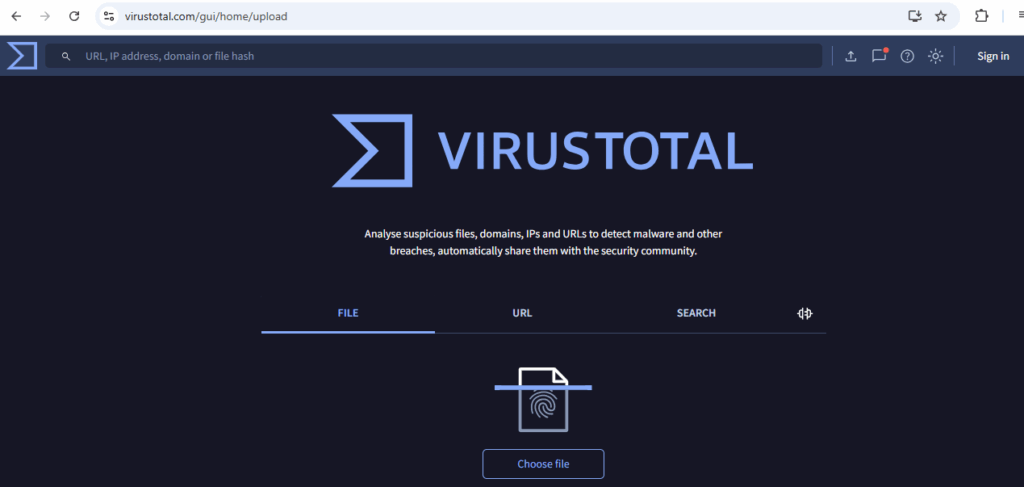
  1. https://www.virustotal.com/gui/home/upload

A multi‑engine malware and URL scanning platform, now part of Google's Chronicle since 2018. It aggregates over 70+ antivirus engines, URL scanners, and threat intelligence sources, allowing users to upload files or submit URLs for analysis. You can submit via the web interface, desktop tools, browser extensions, email, or API. Free users have limits, while premium tiers unlock enhanced features.

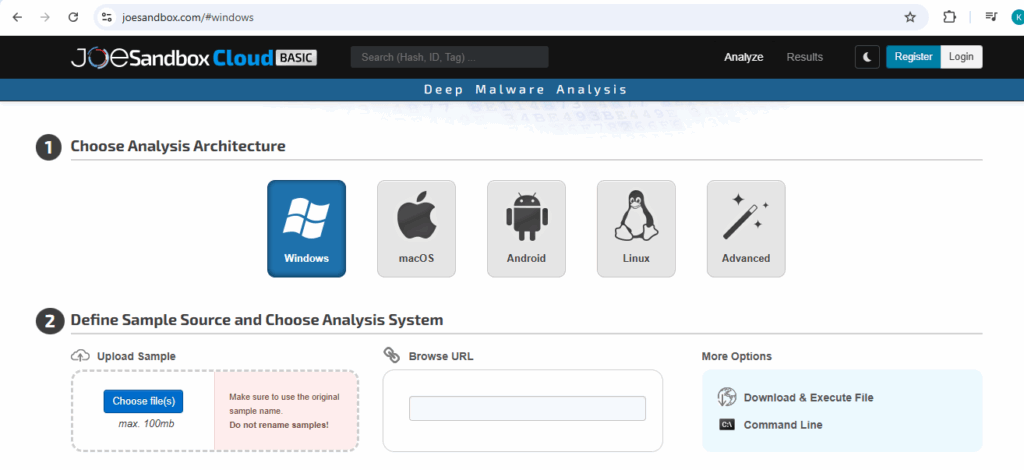
  1. https://www.joesandbox.com/#windows

A versatile malware and phishing analysis solution that supports both cloud-based and on-premise deployment. It enables deep static, dynamic, and hybrid analysis of malicious files and URLs across multiple operating systems such as Windows, macOS, Linux, Android, and even iOS.

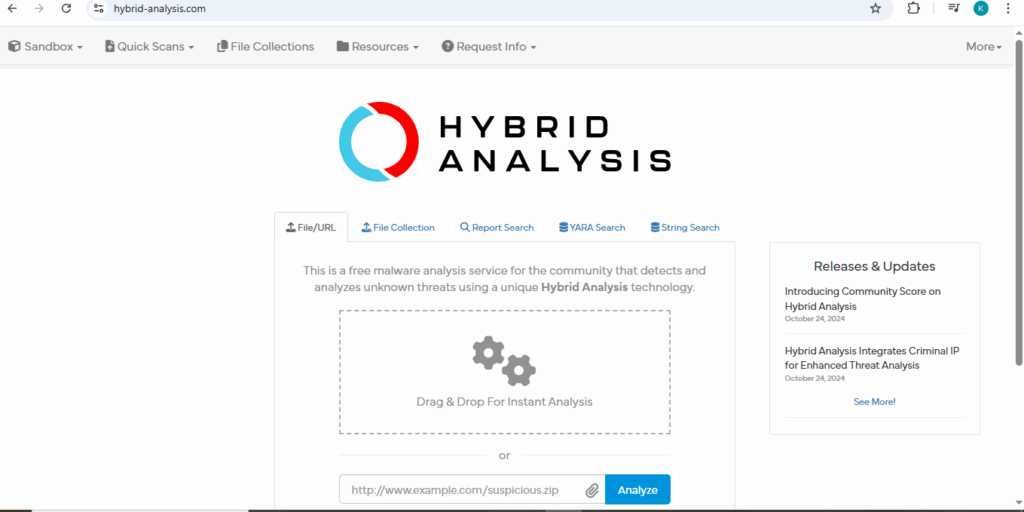
  1. https://hybrid-analysis.com/

A free, community-driven malware sandbox powered by Payload Security and Falcon Sandbox, integrating multiple detection engines such as static, dynamic, and ML to analyze files and URLs for malicious behavior.

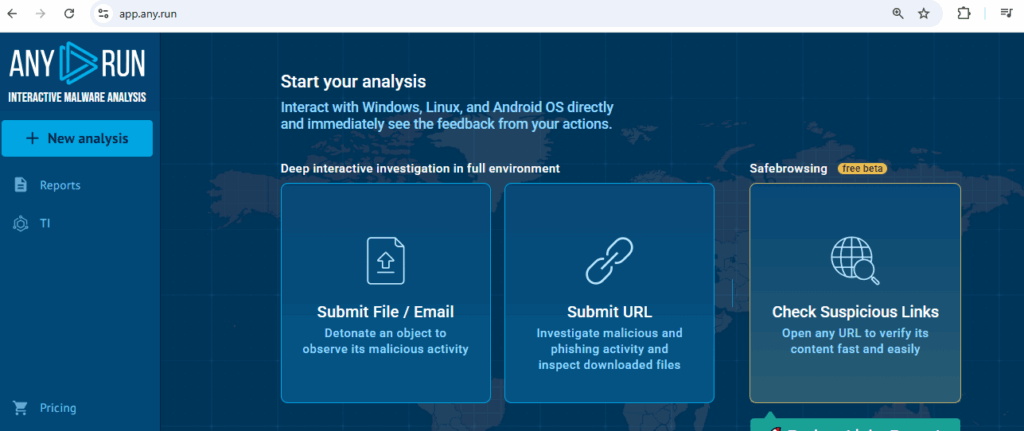
  1. https://app.any.run/

An interactive cloud-based malware sandbox. Unlike automated sandboxes, it lets you manually interact with the VM to drive the sample, enabling macros, clicking dialogs while capturing real-time behavior and indicators.

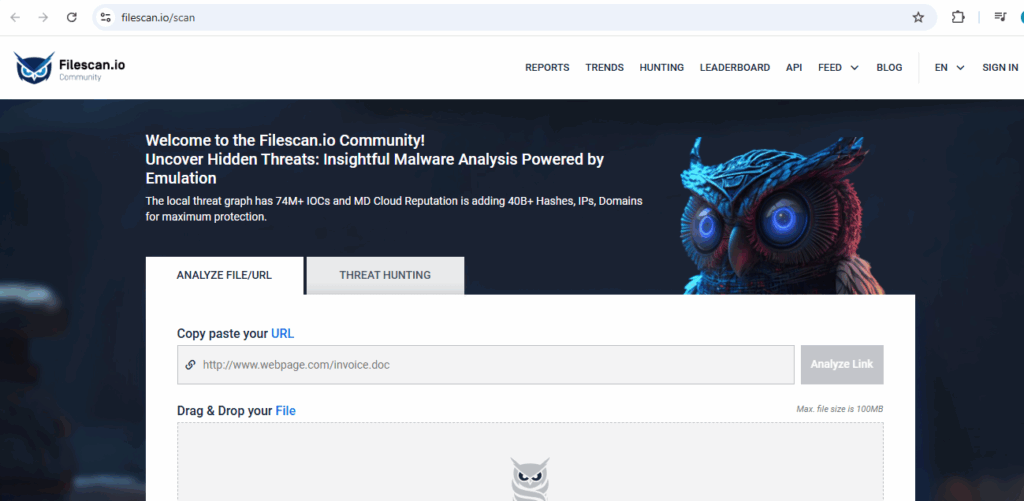
  1. https://www.filescan.io/scan

A free online malware analysis service, the tool lets you upload files or submit URLs. It checks them with emulation engines, extracts indicators of compromise (IOCs), examines certificates, and checks for phishing and malicious behaviors.


main

How to use AbuseIPDB

AbuseIPDB ia a third-party tool that provide a centralize database to report IP addresses that were used to abuse different companies or organizations.

The information about the malicious or suspicious IP addresses are coming from different sources such as Firewall, Proxies, Routers, Honeypots, Sandboxes or any sources use to monitors or detect malicious IP addresses.

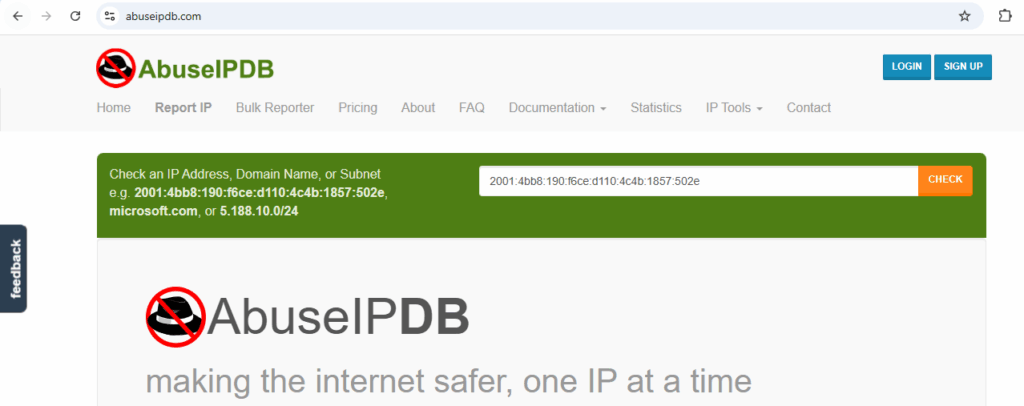
The tool is accessible by clicking on the link: https://www.abuseipdb.com


Like you see, once the link is opened, 10 menus are available to your view, each of them has a different capability.

The first menu “Home” is the main page, the page contains the search menu to search information about IP addresses, Domain names or Subnets.

Let’s have a look at one example:


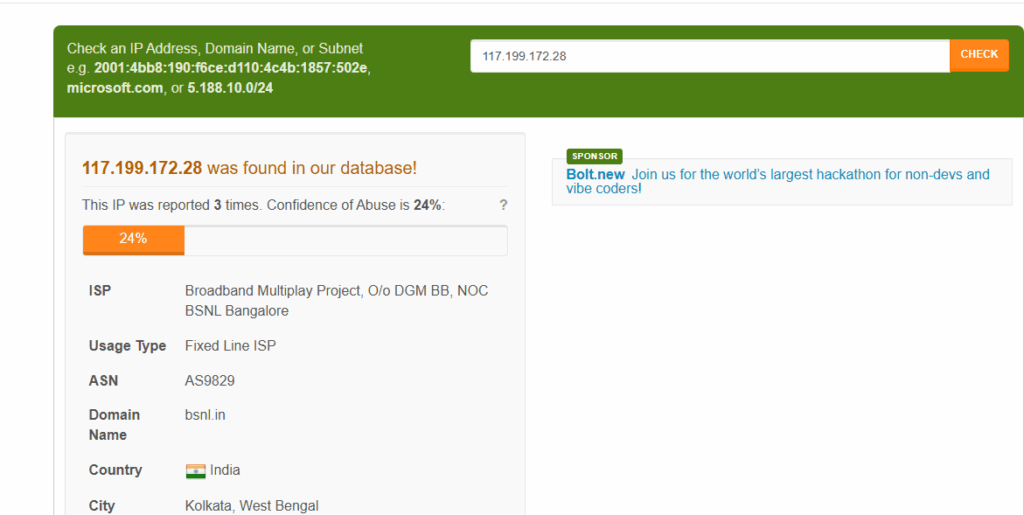
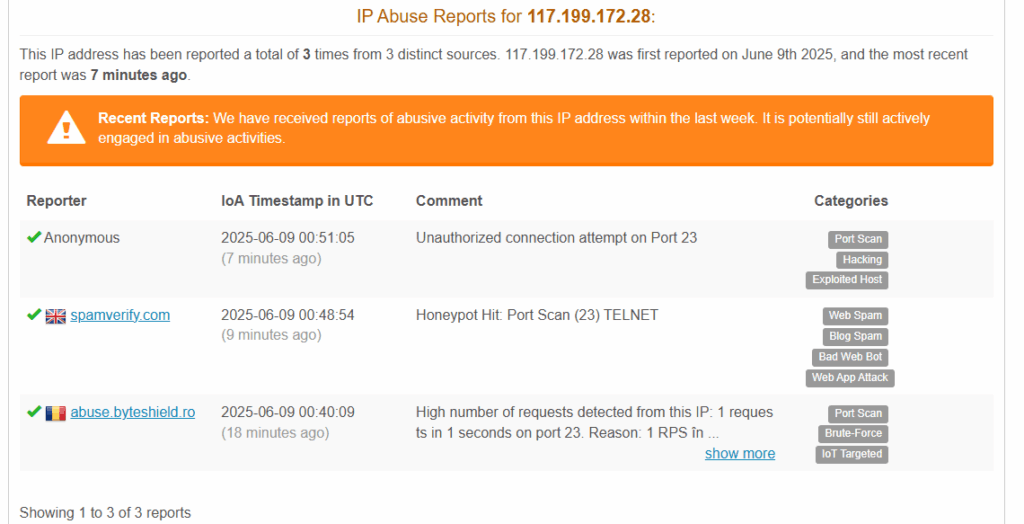
Like you see, we entered the IP address 117.199.172.28, the IP address was found in the database, which means that it was reported by someone.

Below, we can see that the IP address was reported 3 times of abuse and 24% of confidence.

On the picture, you may observe the details about the IP address such as:

The location, the owner, ASN number, the domain name associated to the IP address and the usage type.

By scrolling down, we may get more information about the entities that reported the IP address.


We can see on the picture, the reported name, the time it was reported and the comment about the reason it was reported.

That information helps us have better details about the IP address and make a recommendation to protect our environment.

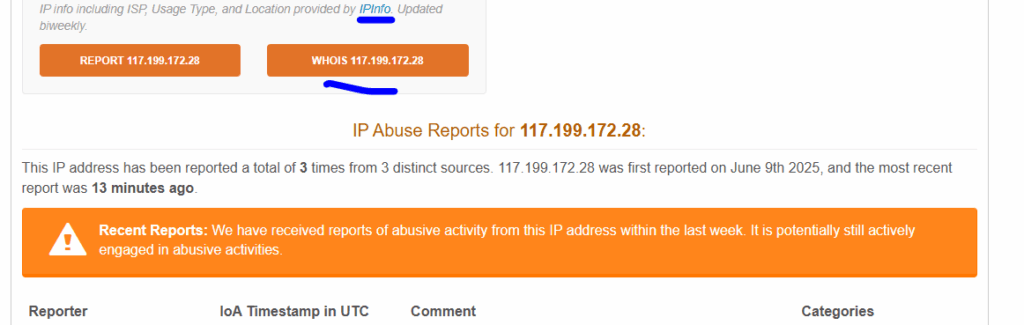
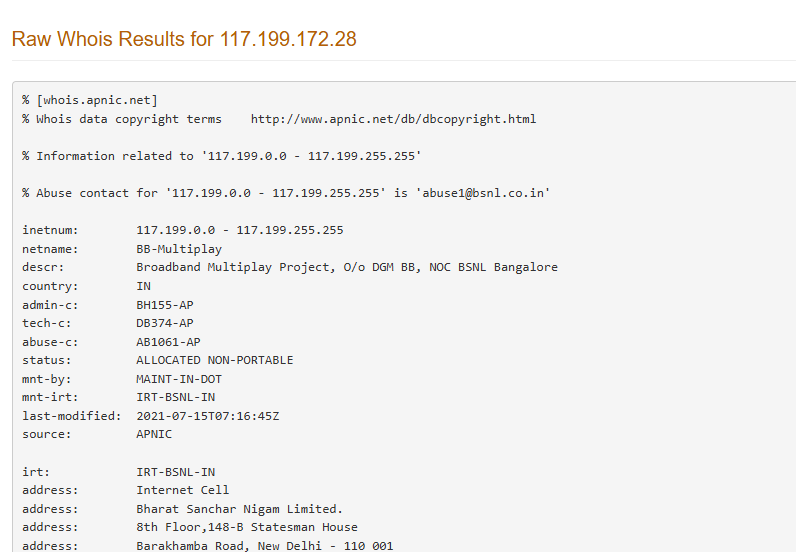
You can click on WHOIS following with the IP address on the image to get more insight about it.


Result after clicking

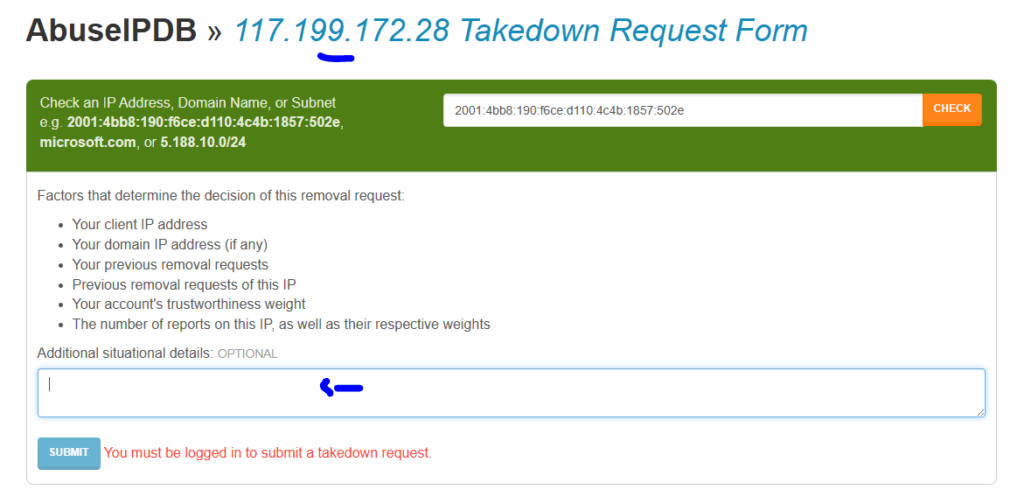
If you wish to take down the IP address, you can scroll down and click on the button “takedown”

Feel the request form and submit to takedown the IP address.

Example of IP address takedown https://www.abuseipdb.com/blog/kv-solutions-takedown

You can find the recent reported IP address by scrolling at the end of the page

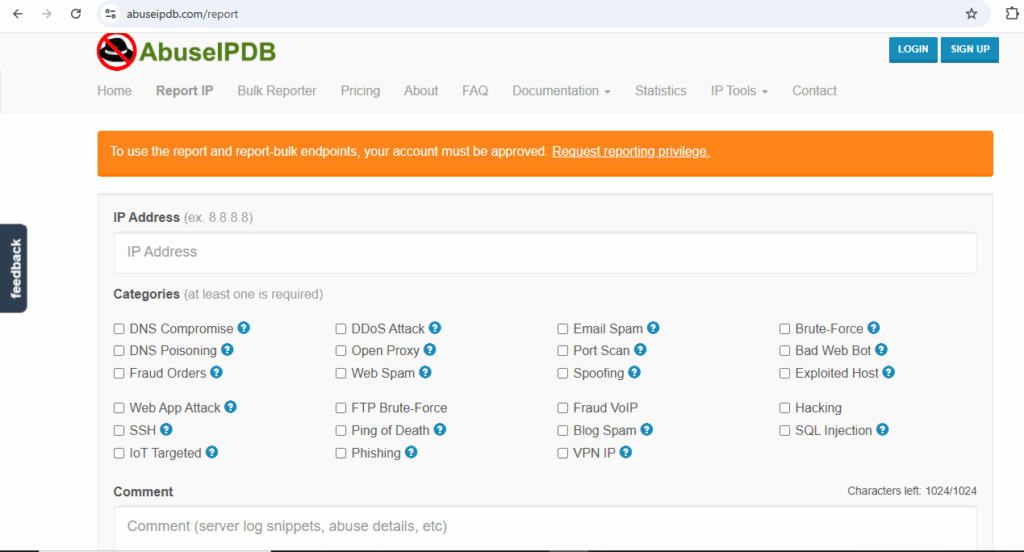
In the second menu “Report IP”

You can report an IP address an account.

On the third menu “Bulk Reported”

If you wish to report a group of IP addresses, a bulk report is possible, more details: https://www.abuseipdb.com/bulk-report

 On the fourth menus “Pricing”, “About”, “FAQ” are information related to the pricing, some details about the tool.

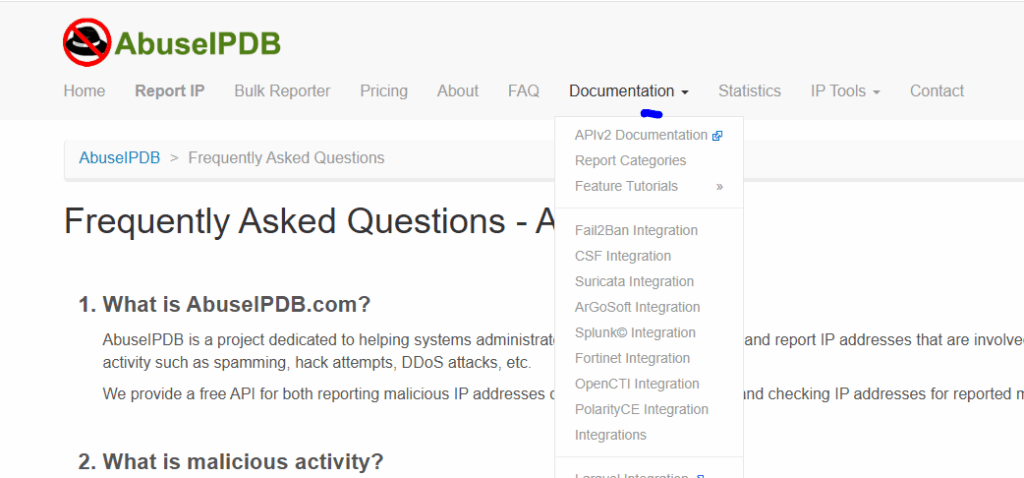
The seventh menuDocumentation”, contains information about how the tool can be integrated with others platforms:

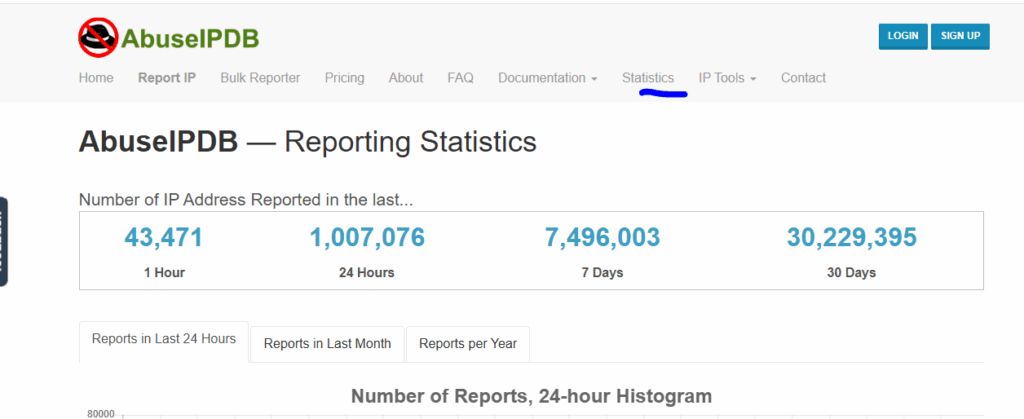
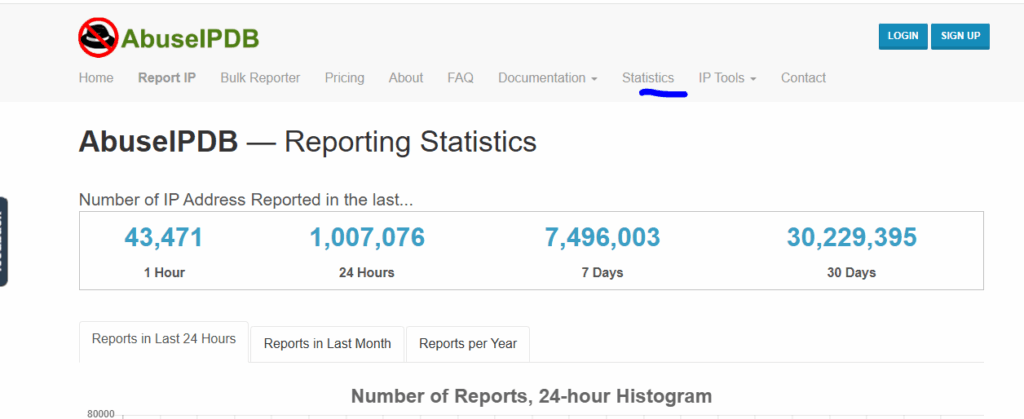
The eighth menu “Statistics” contains information about IP addresses that have been reported. Scroll down to get more details.

The ninth menu “IP Tools” contains information about tools that can be used to perform some troubleshooting or get some details about IP addresses or DNS. Click on each of them to get more information.

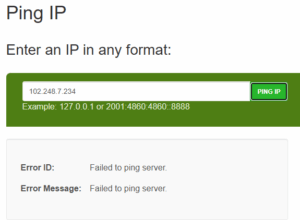
Example: Click on the sub menu “Ping IP”

Like you see, the Ping failed on the IP address entered above.

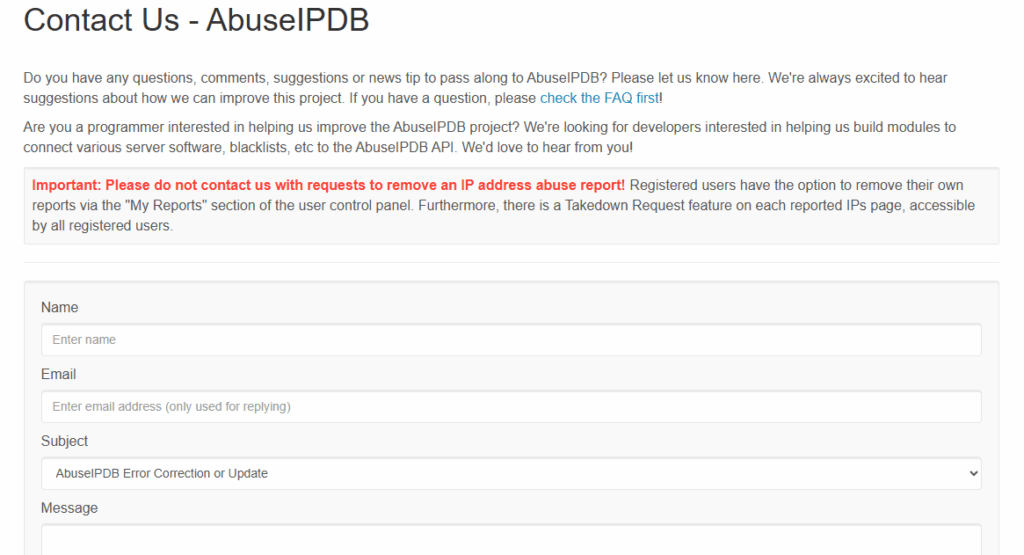
The last menu “Contact”, contains information about how to contact AbuseIPDB team

Feel free to feel the fields to get in touch with the team.

Like you see, AbuseIPDB is very powerful tool, the tool has menus features described above to get more details about IP addresses and DNS or others. The tool should be one of the main tools you use daily if you work in SOC.

You can watch the video version by clicking on the link:

https://www.youtube.com/watch?v=p4JlGWRdXX8


Threat Intelligence

top AI-powered threat intelligence platforms

threat intelligence platforms   are designed to help organizations detect, analyze, and respond to cyber threats more effectively.

If you wish to learn more about Cyber Threat Intelligence, feel free to click on: https://www.osintafrica.net/what-is-osint/

Here you have the best Threat Intelligence tools used by most of the organizations:

  1. Recorded Future

Uses AI and machine learning to analyze data from the open web, dark web, and technical sources.

  • Key Features:
    • Real-time threat intelligence
    • Risk scoring for IPs, domains, and vulnerabilities
    • Integrations with SIEMs and SOAR platforms
  1. Anomaly Threat Stream

Aggregates threat data from multiple sources and applies AI to correlate and prioritize threats.

  • Key Features:
    • STIX/TAXII support
    • Threat sharing communities
    • Machine learning-based threat scoring
  1. Mandiant Threat Intelligence (by Google Cloud)

Backed by frontline incident response data and AI-driven analytics.

  • Key Features:
    • Nation-state actor tracking
    • Threat actor profiles
    • Integration with Chronicle and Google Cloud Security

    4. IBM X-Force Exchange 

A collaborative platform for sharing threat intelligence across industries.

  • Key Features:
    • AI-enhanced threat analysis
    • Community-driven threat sharing
    • Integration with IBM QRadar
  1. Palo Alto Networks Cortex XSOAR Threat Intel Management

Combines threat intelligence with automated incident response.

  • Key Features:
    • Centralized threat feed management
    • AI-based enrichment and deduplication
    • Playbook-driven response
  1. SOCRadar

A cybersecurity platform specializing in Extended Threat Intelligence (XTI), designed to help organizations proactively detect, analyze, and produce a report about cyber threats. It integrates multiple security disciplines such as Threat Intelligence (TI), Digital Risk Protection (DRP), and External Attack Surface Management (EASM) into a unified AI-driven solution.


  • Key Features:
  • Modular and Flexible
  • Cyber Threat Intelligence (CTI)
  • MSSP-Ready
  • Dark Web Monitoring
  • Attack Surface Management (ASM)
  • Supply Chain Intelligence
  1. ThreatQuotient

a cybersecurity company that provides a threat intelligence platform designed to help organizations understand and respond to cyber threats more effectively. Its core product, ThreatQ, acts as a central repository and decision support system for threat data, making it actionable for security teams.

  • Key Features:
  • Threat Intelligence Management
  • Security Operations Integration
  • Threat Library
  • ThreatQ Investigations
  • Automation and Customization


All those solutions could be a good solution to protect your organization; it depends on your need and the budget.  Having a Cyber Threat Intelligence (CTI) platform in your organization is adding another layer of defense to protect your organization. If you have not implemented yet, feel free to contact us to assist you to implement a solution based on your needs.

Sport website

Top Free sports TVs Streaming online websites


Everyone wants to enjoy watching sport such football, Basketball, MMA, BOX, Tennis, Volleyball, Rugby, Cricket and others. Below, you can find the best websites to watch your lovely sport online.

  1. https://livetv.sx/  is a website that offers free live streaming of various sports events, including football, ice hockey, tennis, and basketball. The platform provides users with access to real-time broadcasts, allowing sports enthusiasts to watch their favorite games from anywhere.
  2. https://stream2watch.diy/ is a website that offers free live streaming of various sports events, including NFL, NBA, UFC, boxing, soccer, and more. The platform provides users with access to real-time broadcasts without requiring sign-ups or subscriptions. Users can select their preferred sport, choose the live event they wish to watch, and pick their desired stream quality for seamless HD streaming.
  3. https://v2.sportsurge.net is an unofficial sports streaming website that offers free access to live broadcasts of various sports events, including NFL, NBA, UFC, NHL, soccer, and motorsports. It serves as an updated version of the original Sportsurge platform, aiming to enhance user experience with improved streaming quality, a cleaner interface, and broader device compatibility.
  4. https://crichd.su/   is a website that offers free live streaming of various sports events, including cricket, football, Formula 1, UFC, and more. It provides access to major tournaments such as the Indian Premier League (IPL), Pakistan Super League (PSL), Premier League, UEFA Champions League, and international cricket matches.
  1. https://firstsrows.net/ is a free sports streaming website that offers live broadcasts of various sports events, including football (soccer), NFL, NBA, UFC, MLB, NHL, and more. The platform provides users with access to real-time streams without requiring registration or subscription fees. Users can select their preferred sport and choose from multiple streaming links for each event.
  2. https://vipbox.diy/ is a free sports streaming website that offers live broadcasts of various sporting events, including NFL, NBA, UFC, MLB, soccer, and more. The platform provides users with access to real-time streams without requiring registration or subscription fees. Users can select their preferred sport and choose from multiple streaming links for each event.
  1. https://www.wheresthematch.com/ is the UK's leading live sports TV listings guide, providing comprehensive schedules for televised and officially streamed sports events across various broadcasters. Established in 2007, the platform was created to help sports fans easily find when and where their favorite matches are being broadcast, eliminating the need to search through multiple channels and websites.
  1. https://ftv.bg/en/ is an independent Bulgarian online platform that offers free access to live sports streams, match highlights, news, and statistics. It covers a wide range of sports, including football, basketball, tennis, volleyball, hockey, and boxing. The website provides live broadcasts of major leagues and tournaments, such as the English Premier League, UEFA Champions League, and Bulgaria's Efbet League. Additionally, it features video highlights, live scores, and sports news updates.

users should exercise caution when accessing free streaming sites. Such platforms may expose users to intrusive advertisements, potential malware, and tracking mechanisms. A study highlighted that illegal streaming services often employ deceptive ads and extensive user tracking, posing risks to user privacy and device security.

Recommendations

  • Use a VPN: A Virtual Private Network can help protect your identity and data while streaming.
  • Install Ad-Blockers: These can reduce exposure to intrusive ads and potential malware.
  • Avoid Sharing Personal Information: Refrain from entering sensitive data on the site or associated links.
websites

The top 10 most visited websites in Guinea-Conakry

Every internaut browses somewhere online, to know where people browse mostly is not a secret anymore. Below, you can find the most visited websites in Guinea-Conakry

🌍 Top Websites in Guinea – March 2025

Rank Website Monthly Visits Main Traffic Source
1 google.com 5.88 million Direct
2 pariezgdj.live 1.47 million Direct
3 youtube.com 1.2 million Direct
4 chireads.com 1.07 million Direct
5 facebook.com 1.05 million Direct
6 google.fr 899K Direct
7 french-stream.bio 886K Direct
8 mgeko.cc 621K Direct
9 africaguinee.com 577K Direct
10 animekai.to 561K Direct

As you see above, Google is the most visited website followed by pariezgdj.live which is an online betting website

The last one AnimeKai - Watch Free Anime Online, Stream Subbed & Dubbed Anime in HD is an online website to watch anime for free.

Based on the data available, we can evaluate how fast the connectivity all around the world is growing. 

Data protection is crucial at this point.

MTN logo

Million of MTN Group users data available on DarkWeb by unknown threat actor

MTN Group disclosed a data breach. The company is active in many countries such as Ivory Coast, Guinea, Iran, Benin, Liberia, Nigeria, Sudan and the sponsor of the CAF Champions League football competition, Manchester United F.C and others.

The company has million subscribers  and users the data breached could impact have a huge impact if the threat actor starts targeting the users.

The company confirmed from their website that an unknown third-party has claimed to have access data linked to parts of their systems.  The company does not have any information to suggest that customers’ accounts and wallets have been directly compromised.

The following mitigations recommendations have been put into place for the customers to remain vigilant (MTN cybersecurity incident, but critical infrastructure secure | MTN.com):

Keep MTN, MoMo and banking apps and devices updated.

Use strong, unique passwords for accounts and change them regularly.

Be cautious of unexpected messages and do not click on suspicious links.

Do not disclose information such as passwords, PINs and OTP when asked to do so by phone, text message or email.

Where multifactor authentication is available, it should be activated.

The threat actor and the source of the breaches are not disclosed yet.  As a customer, we encourage you to follow the recommendations.